How to Set Up a Home Weather Station
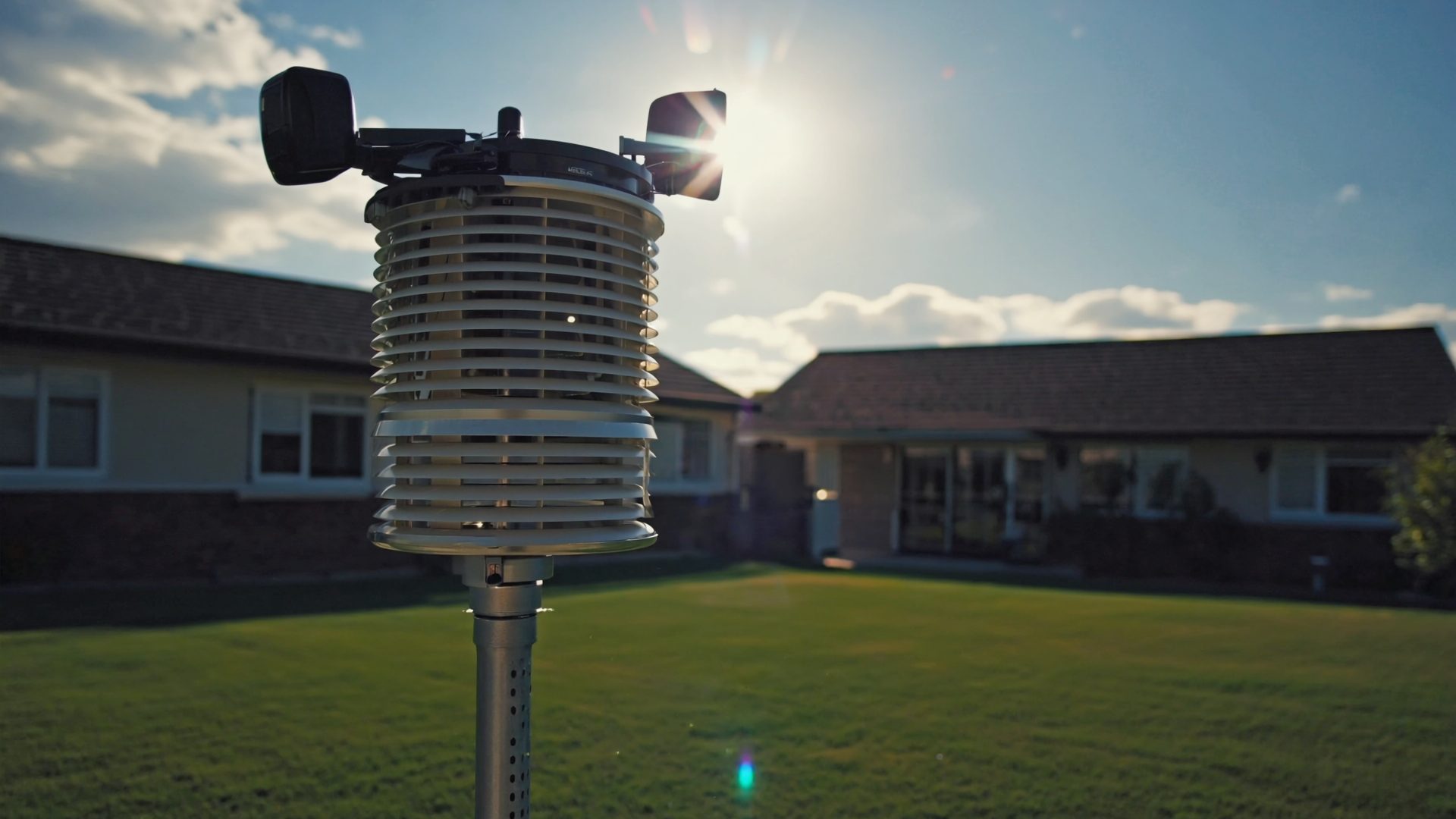
You bought a weather station. Now what? The difference between a station that produces accurate, useful data and one that gives you garbage readings comes down to installation. Placement, mounting height, orientation, and calibration matter enormously. This guide walks you through every step, from choosing a mounting location to sharing your data with the world. Once it is running, learn to read the numbers in our Weather Station Data for Beginners primer.
Step 1: Choose Your Mounting Location
The single most important decision in weather station installation is where you put it. A $500 station mounted poorly will produce worse data than a $200 station mounted correctly.
Temperature and Humidity Sensors
Temperature sensors must be shielded from direct sunlight (which all quality stations handle via a radiation shield) and positioned away from artificial heat sources. The following degrade temperature accuracy:
- HVAC condenser units (within 20 feet)
- Chimneys and exhaust vents
- Dark-colored roofing surfaces (radiant heat rises into the sensor)
- Concrete or asphalt (heat island effect)
- South-facing walls (reflected solar heat)
The ideal location is above the roofline where air circulates freely from all directions. A north-facing eave is the next best option if rooftop mounting is not possible.
Wind Sensors
Wind sensors (anemometer and wind vane) need clear exposure in all directions. The WMO (World Meteorological Organization) standard is 33 feet above ground in open terrain. For home stations, this is impractical, so aim for at least 5 feet above the roofline, with no obstructions within 4 times the obstruction's height.
Example: if your chimney is 3 feet above the roofline, mount your wind sensor at least 12 feet (4 x 3) away from the chimney horizontally, or 3 feet above the chimney vertically.
Rain Gauge
The rain gauge needs to be level and away from surfaces that create splash or turbulence. On an integrated station (where the rain gauge is part of the sensor suite), the station's location determines rain gauge placement. If your station is in a wind-turbulent area, consider adding a standalone Stratus Precision rain gauge in a better ground-level location for comparison.
Step 2: Select Your Mounting Hardware
Rooftop Tripod Mount (Recommended)
A Davis Instruments mounting tripod is the most popular rooftop solution. It sits on the roof peak with three adjustable legs and accepts a standard 1.5-inch mast. The tripod is weighted and can be secured with guy wires for additional stability in high winds.
Advantages: no roof penetrations (no drilling), adjustable height, stable in moderate winds. Disadvantage: may shift in extreme winds without guy wires; legs can scratch roofing material.
Pole Mount
A galvanized steel pole mounted to the side of your house with standoff brackets elevates the sensor suite above the roofline without a rooftop tripod. This is common for two-story homes where roof access is difficult. Use at least a 5-foot pole extending above the eave.
Yard Mount
If roof or wall mounting is not feasible, a tall pole cemented into the ground in an open area of the yard works for all-in-one stations like the WeatherFlow Tempest. Use a 10-foot pole to get the sensors above fence and shrub height. Wind readings will be less accurate than rooftop mounting, but temperature and rain readings can actually be better if the rooftop has heat-island issues.
Step 3: Mount the Sensor Suite
With your location chosen and hardware ready, here is the physical installation process:
- Assemble the sensor suite per manufacturer instructions before going up on the roof. Test that all components fit together on the ground.
- Install the mounting hardware (tripod, pole, or bracket) first, without the sensor suite attached. Verify it is level and stable.
- Attach the sensor suite to the mast and secure with the provided U-bolt or clamp. Hand-tighten first, then use a wrench for final tightening.
- Orient the station so that the wind vane points north (or align with the directional marker indicated in the manual). Use a compass or phone compass app. This step is critical for accurate wind direction readings.
- Level the station using the bubble level on the station (if equipped) or a separate torpedo level. An unlevel station produces inaccurate rain and wind readings.
- Secure guy wires if using a rooftop tripod. Run three wires at 120-degree intervals from the top of the mast to anchor points on the roof. This prevents the mast from swaying or toppling in high winds.
Step 4: Set Up the Indoor Console
Place the indoor console (or hub) in a central location with good Wi-Fi signal. For stations that use radio communication between the outdoor sensor and indoor console (like Davis Vantage series), the console should be as close to the outdoor sensor as practical, with minimal walls between them.
If your console has Wi-Fi connectivity:
- Power on the console and wait for it to detect the outdoor sensor (usually automatic within 1-2 minutes).
- Connect to your home Wi-Fi through the console's settings menu or the manufacturer's app.
- Create an account on the manufacturer's platform (AmbientWeather.net, WeatherLink, etc.).
- Verify data is uploading by checking the online dashboard.
If Wi-Fi is unreliable at the console location, consider adding a TP-Link Wi-Fi extender to boost the signal.
Step 5: Calibrate Your Station
Factory calibration is a starting point, not a guarantee. After installation, compare your station's readings against known references and apply offsets if needed.
Temperature Calibration
Compare your station's temperature reading against a nearby NWS ASOS/AWOS station (findable on weather.gov). Note that airport stations are at ground level in open terrain, so some difference is expected. If your station consistently reads 2+ degrees high, especially on calm, sunny afternoons, the radiation shield is likely the issue. A fan-aspirated shield upgrade (for compatible stations) is the best solution.
For direct calibration, place a ThermoPro TP49 in the shade near your outdoor sensor and compare readings. If they differ consistently, enter a calibration offset in your console settings.
Barometric Pressure Calibration
This is the most important calibration step. Your station reports station pressure (the pressure at your elevation). Weather services use sea-level pressure (adjusted to what the pressure would be at sea level). Your station should do this conversion automatically if you enter your station's elevation correctly.
Compare your station's sea-level pressure against the nearest airport METAR report. They should match within 0.02 inHg. If not, adjust the elevation setting or apply a pressure offset.
Rain Gauge Calibration
Place a Stratus Precision rain gauge near your station and compare readings after several rain events. If the electronic gauge consistently underreads (common), apply a positive offset in your console settings. Typical offsets are 5-15% for tipping-bucket gauges.
Step 6: Share Your Data
One of the great benefits of a personal weather station is contributing your data to weather networks. This helps improve local forecasts, supports citizen science, and gives you bragging rights on the Weather Underground map.
Weather Underground (WU)
The largest personal weather station network. Create a free account, register your station's location, and enter the provided Station ID and Key into your station's upload settings. Your data appears on the WU map and contributes to their forecast model.
CoCoRaHS
The Community Collaborative Rain, Hail and Snow network is a citizen science project that feeds data to the NWS. You report daily precipitation manually (using a standard CoCoRaHS gauge). This is the most impactful way to contribute to your local NWS forecast office.
PWSweather / WeatherCloud
Additional networks that aggregate personal station data. Most stations support uploading to multiple networks simultaneously.
Step 7: Ongoing Maintenance
A weather station is not install-and-forget. Regular maintenance keeps your data accurate:
Monthly
- Clean the rain gauge funnel. Remove pollen, leaves, and spider webs.
- Inspect the radiation shield for dirt, spider webs, or insect nests.
- Verify data is uploading correctly to your chosen platforms.
Quarterly
- Compare temperature readings against a reference thermometer.
- Check barometric pressure against the nearest METAR report.
- Verify wind direction is still accurate (the vane may shift if the mount loosens).
- Inspect mounting hardware for looseness, corrosion, or UV damage.
Annually
- Replace batteries in the outdoor sensor (if applicable).
- Clean the solar panel (if equipped) with a soft cloth.
- Check anemometer bearings for sluggishness (spin the cups by hand; they should rotate freely).
- Inspect the radiation shield for yellowing or cracking from UV exposure.
- Tighten all mounting hardware.
Recommended Stations by Experience Level
| Experience Level | Station | Why |
|---|---|---|
| Beginner | Ambient Weather WS-2902 | Easy setup, good accuracy, excellent platform |
| Intermediate | WeatherFlow Tempest | Zero maintenance, simplest installation |
| Enthusiast | Ambient Weather WS-5000 | Best data quality with consumer-friendly setup |
| Advanced | Davis Vantage Pro2 | Research-grade accuracy, maximum expandability |
Read our best weather stations guide for detailed comparisons of each station.
★ Recommended Reading & Gear
- The AMS Weather Book — Comprehensive atmospheric science guide covering observation, instruments, and forecasting fundamentals
- Where There Is No Doctor — Essential field reference for medical care and preparedness in remote or disaster situations
- Davis Rooftop Mounting Tripod — Sturdy rooftop tripod for weather stations with adjustable legs and standard mast fitting ($50–$70)
Common Mistakes to Avoid
- Mounting too low: A station on a fence post at 4 feet reads ground-level heat, not ambient air temperature.
- Mounting near HVAC: Condenser units blow hot air that skews temperature readings by 5-15 degrees.
- Ignoring the radiation shield: A dirty, spider-web-filled shield traps heat and degrades accuracy.
- Skipping pressure calibration: Incorrect elevation setting makes your barometric pressure readings useless for weather tracking.
- Not leveling the station: A tilted station affects wind direction, rain measurement, and overall sensor accuracy.
- Forgetting maintenance: A clogged rain gauge and corroded anemometer bearings are the two most common causes of inaccurate data from established stations.
Final Thoughts
A properly installed home weather station transforms your understanding of local weather. You will notice patterns the nearest airport station misses: the microclimate effects of your neighborhood's terrain, how your house affects wind patterns, how temperature varies between your location and the nearest NWS reading. Take the time to install it correctly, calibrate it against references, and maintain it regularly. The data quality will reward your effort. Once your station is running, our guide to interpreting weather station data explains what every reading means and how to use it. If you work from home, a station also helps you optimize conditions in your home office setup.
Frequently Asked Questions
Where is the best place to mount a home weather station?
The ideal mounting location is on a pole 5-6 feet above the roofline, away from HVAC units, chimneys, and other heat sources. The sensor should have clear exposure in all directions, especially for wind measurement. A rooftop tripod mount provides the best results for most homes. If roof mounting is not possible, a tall pole in an open area of the yard is the next best option.
How do I calibrate my weather station?
Most weather stations are factory calibrated, but you can verify and adjust readings. For temperature, compare against a NIST-traceable thermometer placed in the same location. For barometric pressure, compare against your nearest airport METAR report (adjusted for elevation). For rainfall, compare against a manual rain gauge over multiple events. Most consoles allow you to enter calibration offsets.
How do I share my weather station data with Weather Underground?
Create a free account at wunderground.com and register your station to get a Station ID and Key. Enter these credentials in your weather station's online dashboard (Ambient Weather Network, WeatherLink, etc.) under the upload settings. Data will begin flowing to Weather Underground within minutes. Your station will appear on the WU map and contribute to local forecasting.
Do I need a permit to install a weather station on my roof?
In most jurisdictions, a small weather station mounted on a rooftop pole does not require a permit, as it falls below height restrictions for antennas and similar structures. However, if you live in an HOA community, check your covenants -- some HOAs restrict rooftop installations. FCC regulations protect your right to install antennas, which may apply to weather stations depending on your local interpretation.
How often should I maintain my home weather station?
Clean the rain gauge funnel and inspect the radiation shield monthly. Quarterly, compare temperature and barometric pressure readings against a reference station and check wind direction accuracy. Annually, replace outdoor sensor batteries, clean the solar panel, check anemometer bearings, and tighten all mounting hardware. A neglected rain gauge and corroded anemometer bearings are the most common causes of inaccurate data.
Related Reading
- Understanding Weather Station Data for Beginners
- How to Read a Barometer for Weather Prediction
- Connect Your Weather Station to Your Smart Home
Explore More Reviews
- Best Kids Outdoor Toys 2026 on KidGearPro
- Best Air Purifiers for Home Office on DeskSetupPro
- Best Cooling Sheets for Summer on RestWell